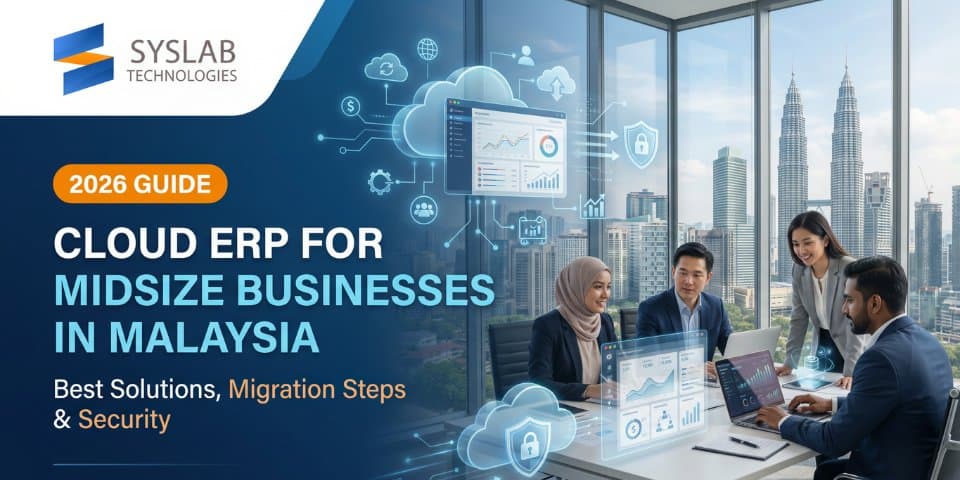
A cloud ERP is business software (finance, sales, inventory, purchasing, HR and reporting in one system) that runs on a vendor’s or partner’s hosted servers and is accessed through a web browser. For midsize Malaysian businesses, the best cloud ERP is the one that fits your industry workflows, integrates with your existing systems, supports e-Invoice (MyInvois) compliance, and can grow with you. Migration takes roughly 3–9 months for most midsize firms, and a well-configured cloud ERP is often as secure as, or more secure than, an on-premise ERP.
What You’ll Learn
What Is a Cloud ERP System?
A cloud ERP system (also called cloud-based ERP or ERP cloud computing) is an Enterprise Resource Planning platform hosted on remote servers and delivered over the internet. Instead of buying servers, installing software in your office and hiring staff to maintain it, you access your ERP securely from any browser or mobile device.
ERP stands for Enterprise Resource Planning. A modern ERP connects the core functions of your business in one database:
- Finance & accounting: general ledger, AP/AR, bank reconciliation, tax
- Sales & CRM: quotations, orders, invoicing, customer history
- Inventory & warehouse: stock levels, batches, multi-location tracking
- Procurement: purchase requests, approvals, supplier management
- HR & payroll: attendance, leave, claims, payroll
- Reporting & analytics: live dashboards across every department
When these modules share one source of truth, your team stops re-keying data between spreadsheets and disconnected tools, and management finally sees real numbers in real time.
The 3 Main Types of Cloud ERP Deployment
| Type | How it works | Best for |
|---|---|---|
| Public cloud (multi-tenant SaaS) | Many customers share one hosted platform; you pay a subscription | Businesses wanting speed and standard processes |
| Private / single-tenant cloud | Your ERP runs in a dedicated hosted environment | Firms needing more customisation or isolation |
| Hybrid cloud | Some modules or data stay on-premise; the rest is in the cloud | Firms with legacy systems or data-residency concerns |
Why Malaysian Midsize Businesses Are Moving to Cloud-Based ERP
Malaysian midsize businesses (typically 50–500 staff) are under pressure from several directions at once:
1. e-Invoice (MyInvois) compliance. LHDN’s MyInvois system requires invoices to be validated electronically in near real time. The rollout is phased by annual turnover, and thresholds and relaxation periods have been adjusted more than once, most recently with a reported move of the threshold to RM3 million from 1 September 2026. Always confirm your own status on the official LHDN e-Invoice implementation timeline. Either way, an ERP that submits and stores validated e-invoices automatically removes a major compliance headache.
2. Data protection and cyber-security obligations. Malaysia’s Personal Data Protection Act (PDPA) was amended in 2024, introducing stronger duties around breach notification and data-protection officers, and the Cyber Security Act 2024 raised the bar for critical sectors. Review the latest guidance from the Personal Data Protection Department (JPDP) for your obligations.
3. Hybrid and multi-branch work. Teams across Klang Valley, Penang, Johor and beyond need the same live data without VPN gymnastics.
4. Ageing on-premise servers. Hardware refresh cycles, licence renewals and aging databases quietly drain IT budgets.
5. Growth. Spreadsheets and entry-level accounting software stop scaling once you have multiple entities, warehouses or approval chains.
If you recognise two or more of these, it is time to evaluate a cloud ERP.
Which ERP Cloud Solutions Are Best for Midsize Businesses?
There is no single “best” cloud ERP. The right choice depends on your industry, process complexity, integration needs and budget. What does work is a structured way of choosing.
The 8 Criteria That Matter Most
- Industry fit: Does it handle your real workflows (manufacturing BOMs, distribution pricing, project billing, F&B batches, retail multi-outlet) without heavy workarounds?
- Malaysian compliance: MyInvois e-Invoice, SST, EPF/SOCSO/EIS/PCB payroll statutory rules, multi-currency and Bahasa Malaysia support.
- Integration ability: Can it connect to your e-commerce, POS, banks, courier, CRM and legacy systems through open APIs?
- Scalability: Can you add users, entities, branches and modules without re-implementing?
- Customisation: Can workflows, approvals, fields and reports be adapted without breaking upgrades?
- Total cost of ownership (TCO): Licences, implementation, customisation, training, support and hosting over 5 years, not just year one.
- Local support: Same-time-zone, same-language implementation and support partners who answer the phone.
- Security & uptime: Encryption, role-based access, audit logs, backup, disaster-recovery and SLA commitments.
Cloud ERP Options Midsize Companies Commonly Shortlist
Below is a neutral overview of solution categories. Always request a live demo and a written scope before deciding, because pricing, features and local availability change.
| Option | Typical strength | Typical trade-off | Often suits |
|---|---|---|---|
| SAP Business One | Mature, structured ERP with a wide partner network | Implementation cost and partner dependence | Midsize firms wanting a globally recognised platform |
| Microsoft Dynamics 365 Business Central | Strong Microsoft 365/Power BI ecosystem integration | Add-ons and licensing can add up | Firms already invested in Microsoft tools |
| Oracle NetSuite | Unified cloud suite for finance, inventory and e-commerce | Premium pricing; best for multi-entity growth | Fast-growing, multi-subsidiary businesses |
| Odoo | Modular, flexible and cost-effective | Quality depends heavily on the implementation partner | Firms wanting modular scaling and flexibility |
| Flexa ERP (by Syslab) | Business management ERP built and supported locally in Malaysia | Best discussed against your specific scope | SMEs and midsize firms wanting a locally supported, adaptable platform |
| Custom cloud ERP | Built around your exact processes; keeps the systems worth keeping | Needs a clear scope and a trusted build partner | Businesses whose workflows are unique or poorly served by packaged ERP |
Packaged ERP vs Custom ERP: How to Decide
- Choose packaged cloud ERP when your processes are fairly standard, you want to go live quickly and you are willing to adapt your workflows to the software.
- Choose a custom or hybrid cloud ERP when your competitive edge lives in how you operate, when approvals, pricing, production or logistics rules are unusual, or when you must connect several existing systems into one platform instead of replacing everything.
Many Malaysian midsize firms land in the middle: a core ERP plus targeted customisation and integration. That is exactly where an experienced local partner adds the most value.
Not sure which route fits you? Syslab Technologies reviews your requirement first and recommends the technology second. Discuss your ERP requirement with our team →
Cloud ERP vs On-Premise ERP
| Factor | Cloud ERP | On-Premise ERP |
|---|---|---|
| Upfront cost | Lower (subscription, no servers) | Higher (licences + hardware) |
| Ongoing cost | Predictable monthly/annual fee | IT staff, hardware refresh, upgrades |
| Deployment speed | Weeks to months | Months to a year or more |
| Access | Anywhere, any device | Office network/VPN |
| Updates | Automatic or scheduled by vendor | Manual, project-based |
| Scalability | Add users/modules on demand | Requires new hardware/licences |
| Customisation | Varies (SaaS limited; private cloud flexible) | Full control, but harder to upgrade |
| Control & data location | Shared responsibility with provider | Full in-house control |
| Disaster recovery | Often built-in, geo-redundant | You must design and fund it |
| Best for | Growth, remote teams, lean IT | Strict legacy or regulatory constraints |
Bottom line: for most midsize businesses without a large internal IT team, cloud ERP delivers lower risk, faster time-to-value and easier compliance upkeep.
How to Migrate From On-Prem ERP to Cloud ERP (8 Steps)
Migrating from on-premise ERP to cloud ERP is best treated as a business transformation project, not just a database move. Here is the process we use and recommend.
Step 1: Assess Your Current Landscape (Weeks 1–3)
Document every module, customisation, report, integration, interface and user role in your current ERP. List what works, what is broken and what people work around with Excel. This becomes your requirement baseline.
Step 2: Define Business Goals and Success Metrics
Set measurable targets: month-end close in 3 days instead of 10, stock accuracy above 98%, e-Invoice submission automated, onboarding a new branch in a week. Without metrics, you cannot prove ROI.
Step 3: Choose the Right Cloud ERP and Partner (Weeks 3–8)
Use the 8 criteria above. Shortlist 2–3 options, run scripted demos using your real scenarios and compare 5-year TCO. Pick the implementation partner as carefully as the software, since the partner largely determines success.
Step 4: Decide What to Keep, Connect or Replace
Not everything must be thrown out. Systems that work well (a specialised warehouse tool, a payroll engine, a POS) can be integrated through APIs instead of replaced. This lowers cost and risk. See how system integration keeps valuable systems in play.
Step 5: Clean and Map Your Data (Weeks 6–12)
This is the step most projects underestimate. Remove duplicate customers and suppliers, archive dead stock items, standardise naming and map old fields to new ones. Dirty data migrated to the cloud is still dirty data.
Step 6: Configure, Customise and Integrate (Weeks 8–20)
Configure workflows, approvals and reports. Build only the customisations that deliver real value. Connect MyInvois, banks, e-commerce, POS and other systems. If you need tailored workflows, custom software development can fill the gaps standard modules leave.
Step 7: Test, Train and Run in Parallel (Weeks 16–24)
Run user acceptance testing (UAT) with real transactions. Train department champions first. Where possible, run old and new systems in parallel for one close cycle to validate balances.
Step 8: Go Live, Stabilise and Optimise
Pick a low-risk cut-over window (for example, the start of a month or quarter), keep a hyper-care support team on standby for 30–90 days and then continue improving. Ongoing application support services keep the platform healthy after launch.
Realistic Migration Timeline
| Company profile | Typical timeline |
|---|---|
| Single entity, standard processes | 3–4 months |
| Multi-branch, moderate integrations | 5–7 months |
| Multi-entity, heavy customisation/integration | 8–12 months |
Timelines are indicative and depend on scope, data quality and internal availability.
Migration Readiness Checklist
- Executive sponsor named and budget approved
- Process owners identified per department
- Current ERP customisations and reports documented
- Data-cleansing owner assigned
- Integration list finalised (banks, MyInvois, POS, e-commerce, couriers)
- Backup and rollback plan agreed
- Training plan and go-live date set
- Post-go-live support contract signed
How Secure Is Cloud ERP Compared to Traditional ERP?
Short answer: a well-configured cloud ERP is typically as secure as or more secure than an on-premise ERP for midsize businesses, mainly because reputable cloud providers invest in security, monitoring and redundancy at a scale most SMEs cannot match. But security is a shared responsibility, and cloud does not remove your obligations.
Where Cloud ERP Is Usually Stronger
- Dedicated security teams and 24/7 monitoring that few midsize firms can staff
- Encryption in transit and at rest as standard
- Automated patching that closes vulnerabilities faster than a manual server schedule
- Geo-redundant backups and disaster recovery built into the platform
- Independent certifications, such as ISO/IEC 27001, which show audited security management
- Granular access control, including role-based permissions, multi-factor authentication (MFA) and audit trails
Where On-Premise ERP Can Be Weaker
- Unpatched servers and outdated operating systems
- Single office location: fire, flood or theft can destroy both server and backup
- Weak or untested backup routines
- Limited monitoring outside office hours
- Ransomware exposure through poorly segmented internal networks
The Shared Responsibility Model
In the cloud, the provider secures the infrastructure; you remain responsible for user access, passwords, permissions and how data is used. Read how major providers explain this in the AWS shared responsibility model, a concept that applies broadly across cloud services.
Cloud ERP Security Checklist for Malaysian Businesses
- Enforce MFA for every user, especially finance and admin roles
- Use role-based access so staff only see what they need
- Confirm data location and backup policy in writing, and ask where your data is hosted
- Check for ISO 27001 or equivalent audited controls
- Request an SLA covering uptime, recovery time (RTO) and recovery point (RPO)
- Align with PDPA obligations, including breach response and data-protection roles
- Review audit logs regularly and remove leavers’ access immediately
- Test restores, not just backups
Honest caveat: cloud is not automatically safer. A poorly managed cloud environment with weak passwords and no MFA is riskier than a well-run on-premise one. Governance matters more than location.
What Does Cloud ERP Cost?
Avoid comparing only the monthly subscription. Compare 5-year total cost of ownership:
| Cost component | What to ask |
|---|---|
| Licences / subscription | Per user, per module, or flat? What happens as you grow? |
| Implementation | Fixed scope and milestones or open-ended time and materials? |
| Customisation & integration | Which are one-off costs and which recur? |
| Data migration | Is cleansing included? |
| Training | How many sessions and what format? |
| Support & maintenance | Response times, hours of coverage, language |
| Hosting & backup | Included or separate? |
| Upgrades | Do customisations survive version updates? |
Tip: insist on scope, milestones and payment stages agreed before development begins. It protects both sides and prevents budget surprises.
7 Cloud ERP Mistakes to Avoid
- Buying on demo polish alone. Test your real, messy scenarios.
- Over-customising. Every custom change adds upgrade and support cost; customise only what creates advantage.
- Ignoring data cleansing. Migration is the best time to fix bad data.
- Skipping change management. Staff adoption decides ROI more than software features.
- Forgetting integrations. Banks, MyInvois, POS and e-commerce must be in scope from day one.
- Choosing the cheapest partner. A weak implementation can cost more than a premium one.
- No post-go-live plan. Systems need ongoing support, optimisation and training.
How Syslab Technologies Helps Midsize Businesses Move to Cloud ERP
Syslab Technologies has been building business software in Malaysia since 2011, with a Cyberjaya-based team working local business hours. Our approach is simple: start with the requirement, then decide the technology.
- Custom ERP implementation: a system across sales, stock, purchasing, finance, operations and reporting, built around how you actually work
- Flexa ERP: our complete business management solution
- System integration: connect existing software, databases and APIs so data flows properly
- Software development and mobile applications: extend your ERP with portals, apps and workflows
- Application support services: keep your systems reliable after go-live
See the results we have delivered on our Our Work page or learn more about Syslab.
Ready to Move Your ERP to the Cloud?
You do not need to know the technical solution yet. Tell us what needs to happen, and we will help determine the right way to build it.
- Book a free ERP consultation →
- WhatsApp: +6017 709 2790
- Email: info@syslabtechnologies.com
Frequently Asked Questions About Cloud ERP
What is cloud ERP in simple terms?
Cloud ERP is business management software (finance, inventory, sales, procurement, HR and reporting) that runs on hosted servers and is accessed through a web browser. You pay a subscription or hosting fee instead of buying and maintaining your own servers.
Which ERP cloud solutions are best for midsize businesses?
The best option depends on your industry, process complexity, integrations and budget. Commonly shortlisted choices include SAP Business One, Microsoft Dynamics 365 Business Central, Oracle NetSuite, Odoo, locally supported platforms such as Flexa ERP, and custom-built cloud ERP. Evaluate each on industry fit, Malaysian e-Invoice compliance, integration ability, scalability, total cost and local support.
How do I migrate from on-prem ERP to cloud ERP?
Follow eight steps: (1) assess your current system, (2) set goals and metrics, (3) select the ERP and partner, (4) decide what to keep, connect or replace, (5) clean and map data, (6) configure and integrate, (7) test, train and run in parallel, and (8) go live and optimise. Most midsize migrations take roughly 3–9 months.
How secure is cloud ERP compared to traditional ERP?
A properly configured cloud ERP is often as secure as or more secure than on-premise ERP, because providers offer encryption, 24/7 monitoring, automated patching and geo-redundant backups. Security remains a shared responsibility: you must enforce MFA, role-based access and good user practices.
How much does a cloud ERP cost for a midsize business?
Costs vary widely by user count, modules, customisation and integrations. Compare five-year total cost of ownership (subscription, implementation, data migration, training, support and upgrades) rather than only the monthly fee, and request a fixed-scope written quotation.
How long does it take to implement a cloud ERP?
Standard single-entity deployments can take 3–4 months, multi-branch businesses with integrations typically 5–7 months and complex multi-entity projects 8–12 months. Data quality and internal availability are the biggest timeline drivers.
Can cloud ERP handle Malaysia’s e-Invoice (MyInvois) requirements?
Yes, if the ERP integrates with the MyInvois system and can generate, submit and store validated e-invoices in the required format. Confirm this capability, and your own phase and thresholds on the LHDN e-Invoice timeline, before you sign.
Can I keep some of my existing systems when moving to cloud ERP?
Yes. A hybrid approach lets you keep systems that work well and connect them to the new ERP through APIs. This often reduces cost and risk compared with a full rip-and-replace.
Is cloud ERP suitable for small and midsize businesses in Malaysia?
Yes. Cloud ERP removes the need for servers and large upfront investment, supports multi-branch and remote access and scales as you grow, which is why it is popular with Malaysian SMEs and midsize companies.
Key Takeaways
- A cloud ERP system unifies finance, sales, inventory, procurement, HR and reporting on hosted infrastructure.
- The best cloud ERP for midsize businesses is the one that fits your workflows, integrates with your systems, handles Malaysian compliance and scales with you.
- Migration is a business project: assess, choose, clean data, integrate, test, train, go live and support.
- Cloud ERP security is typically strong, but it is a shared responsibility that depends on good governance.
- Choose a local partner who starts with your requirement, not with a product pitch.