
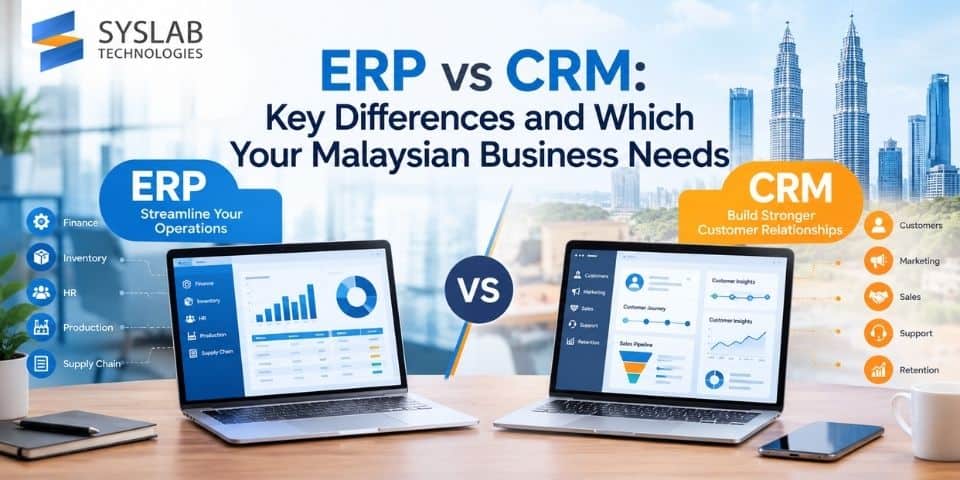
“ERP vs CRM?” is a question that comes up constantly as Malaysian SMEs start outgrowing spreadsheets and disconnected tools. The honest answer is that they solve different problems — and many growing businesses eventually need both, just not necessarily at the same time. Here’s how to tell which one to prioritise first.
The Core Difference ERP Vs CRM in One Sentence
ERP manages how your business runs internally — finance, inventory, procurement, production, HR. CRM manages how your business relates to customers — leads, sales pipeline, customer interactions, support history.
Put simply: ERP is inward-facing operational infrastructure; CRM is outward-facing customer relationship infrastructure.
What ERP Actually Covers
An ERP system typically centralises:
- Financial accounting and reporting
- Inventory and warehouse management
- Procurement and supplier management
- Production planning (for manufacturers)
- Human resources and payroll
- Multi-department, multi-location operational data in one connected system
The core value of ERP is eliminating disconnected systems and manual data re-entry across departments — finance no longer waits for warehouse to manually report stock counts; production planning pulls live inventory data automatically.
What CRM Actually Covers
A CRM system centralises:
- Lead and contact management
- Sales pipeline and deal tracking
- Customer communication history
- Marketing campaign tracking and follow-up
- Customer support tickets and service history
The core value of CRM is giving every customer-facing team member the full picture of a customer relationship, so nothing falls through the cracks between marketing, sales, and support.
Where They Overlap (and Where Confusion Starts)
Some overlap exists around sales orders, since a sale that starts in CRM (as a closed deal) often needs to flow into ERP (as an order to fulfil, invoice, and record financially). This handoff point is exactly where businesses without integration between the two systems end up with duplicate data entry, mismatched customer records, and delayed order fulfilment.
Confusion often comes from vendors marketing “all-in-one” platforms that bundle light versions of both — useful for very small businesses, but often insufficient once operational or sales complexity grows past a certain point.
Which One Should You Implement First?
Prioritise ERP first if:
- Your operational data (inventory, finance, production) is scattered across spreadsheets or disconnected tools.
- You’re a manufacturer, distributor, or business with physical inventory and multi-step operational processes.
- Financial reporting and compliance (SST, e-invoicing) accuracy is currently a manual, error-prone process.
Prioritise CRM first if:
- Your sales team is losing leads or follow-ups due to lack of a shared pipeline view.
- Customer relationship continuity (a client shouldn’t have to repeat their history to every new contact person) is currently broken.
- Your core challenge is growth and conversion, not internal operational bottlenecks.
Consider both, integrated, if:
- You’re scaling past the point where either team can rely on manual coordination.
- Order-to-cash needs to flow smoothly from a closed sale (CRM) into fulfilment and invoicing (ERP) without manual re-entry.
Integration: The Real Long-Term Answer
For most growing Malaysian businesses, the end state isn’t “ERP vs CRM” — it’s ERP and CRM, integrated, so a closed sale in CRM automatically triggers order creation, inventory allocation, and invoicing in ERP without a staff member manually retyping the same order into two systems. This is where custom ERP development often becomes relevant — off-the-shelf systems don’t always integrate cleanly with a business’s existing CRM, and a custom integration layer avoids the data-entry duplication problem entirely.
A Practical Way to Decide
If you’re still unsure, map your current biggest operational pain point:
- Is it primarily internal (stock discrepancies, financial reporting delays, manual production tracking)? → Start with ERP.
- Is it primarily customer-facing (lost leads, inconsistent follow-up, scattered customer history)? → Start with CRM.
- Is it both, and they’re already causing handoff errors between sales and fulfilment? → Plan for integrated implementation from the outset, rather than solving each in isolation and bolting them together later.
Getting the Implementation Right
Whichever system you prioritise, implementation quality matters more than the software brand — a poorly configured ERP or CRM creates as much friction as having none at all. Syslab Technologies designs and implements ERP systems for Malaysian SMEs and manufacturers, including integration planning with existing or future CRM tools. Talk to us about mapping the right sequence for your business.
FAQs
Q: What is the main difference between ERP and CRM?
A: ERP manages internal business operations such as finance, inventory, and production, while CRM manages customer-facing relationships such as sales pipelines, leads, and customer support history.
Q: Can a business use ERP and CRM together?
A: Yes, and for growing businesses this is often the end goal — integrating ERP and CRM allows a closed sale to automatically flow into order fulfilment and invoicing without manual data re-entry between systems.
Q: Does a small business need both ERP and CRM?
A: Not necessarily at the start. Small businesses typically benefit from prioritising whichever system addresses their biggest current pain point — internal operations (ERP) or customer/sales management (CRM) — and adding the other as complexity grows.
Q: Is CRM part of ERP?
A: Some ERP systems include a basic CRM module, but dedicated CRM platforms typically offer more depth for sales pipeline management, marketing integration, and customer support tracking than the CRM module bundled inside most ERP systems.
Q: What problems happen when ERP and CRM aren’t integrated?
A: Without integration, sales and fulfilment teams often end up manually re-entering the same order data into both systems, increasing the risk of mismatched customer records, delayed order processing, and inconsistent reporting.